
Empowering Taskers to deliver an improved customer experience.
About TaskRabbit
TaskRabbit is a website and mobile app that allows users to outsource small jobs and tasks to people in their neighborhood.
TaskRabbit was changing its model from posting tasks and bidding to a direct hire model. This created an opportunity to redesign the service from the ground up. The new redesign wasn't easy, we had to tackle designing for the Tasker (Users that do tasks and earn money) after redesigning the experience for the Client (Users that hire Taskers to do tasks for them). Even if the Client experience was designed well, the full experience would be incomplete because the rest of the experience is dependent on the Tasker. We wanted to make sure Taskers had all the tools, information, and context they needed to complete a task successfully. Taskers wanted to be able to manage their schedule and tasks, update their skills and profile, view all their task history, and monitor their performance. The old TaskRabbit model didn't support any of the functionality that Taskers wanted.
Goal
Design features for Taskers that will give them the proper information and context to deliver quality customer experience through better communication and work.
Role
Product Designer
Team
The teams were made up of 1 Product Manager, 3 Engineers, and 1 Designer.
Platforms Designed for
Web and Mobile
The Tasker app
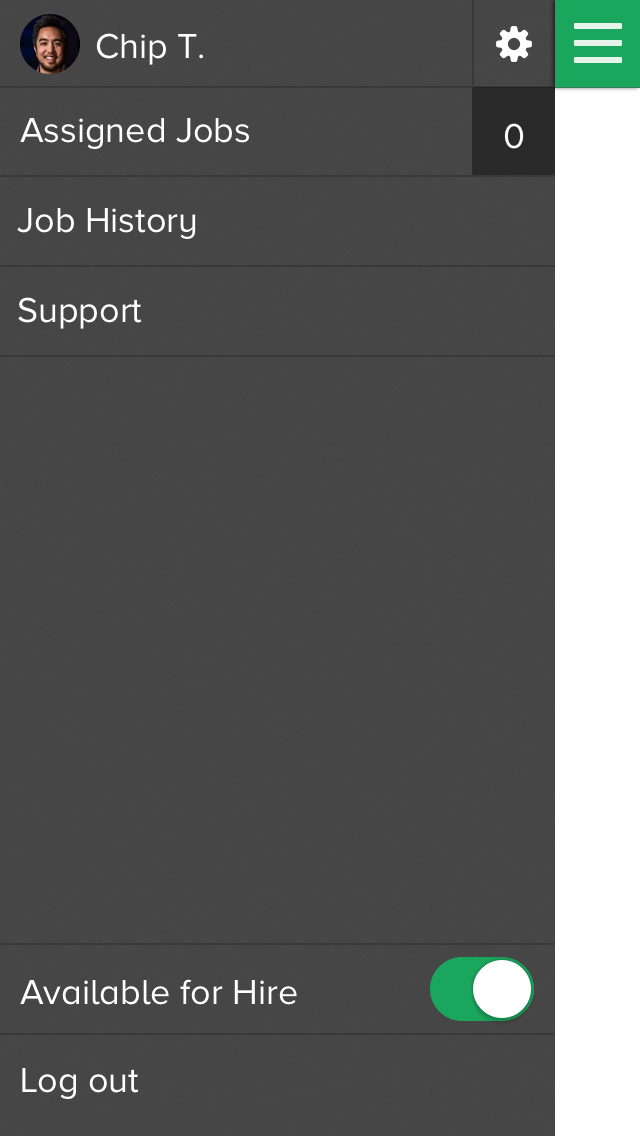
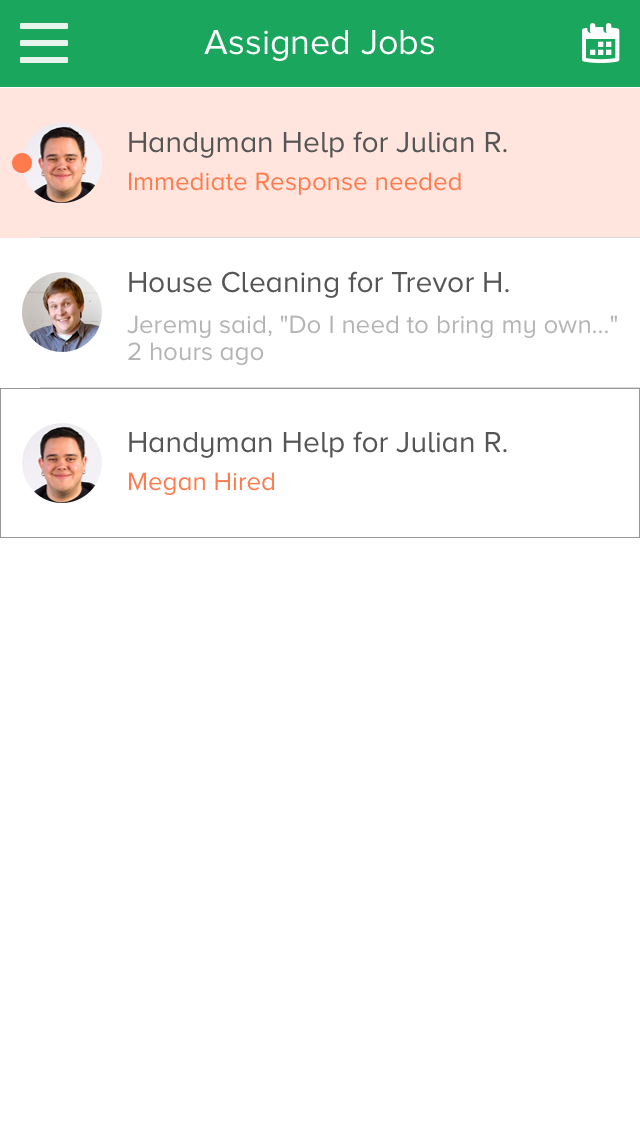
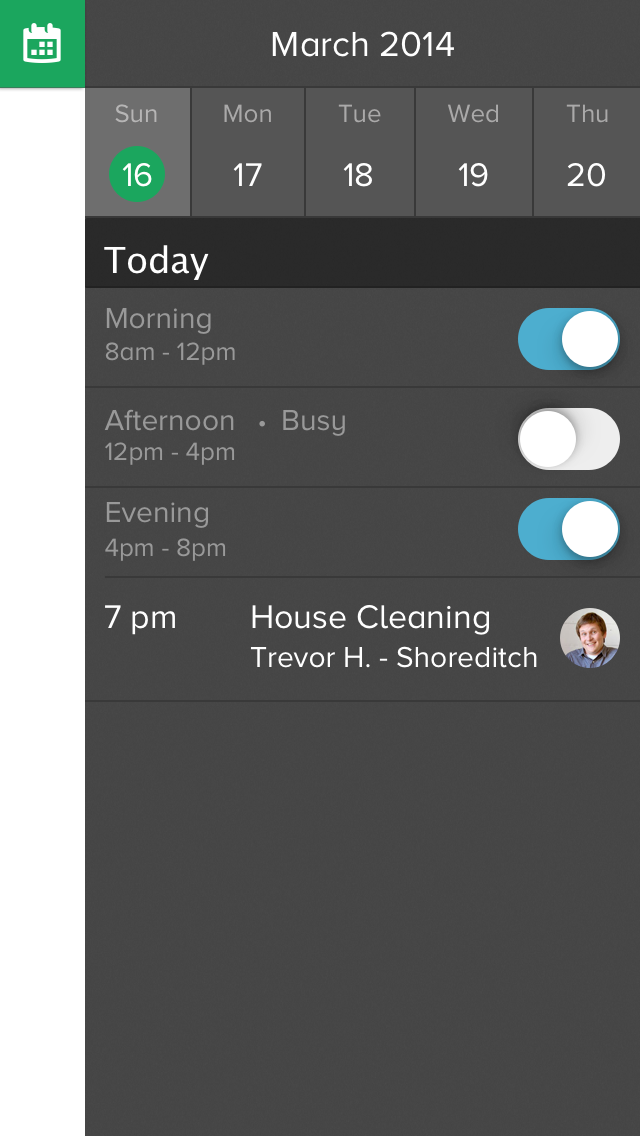
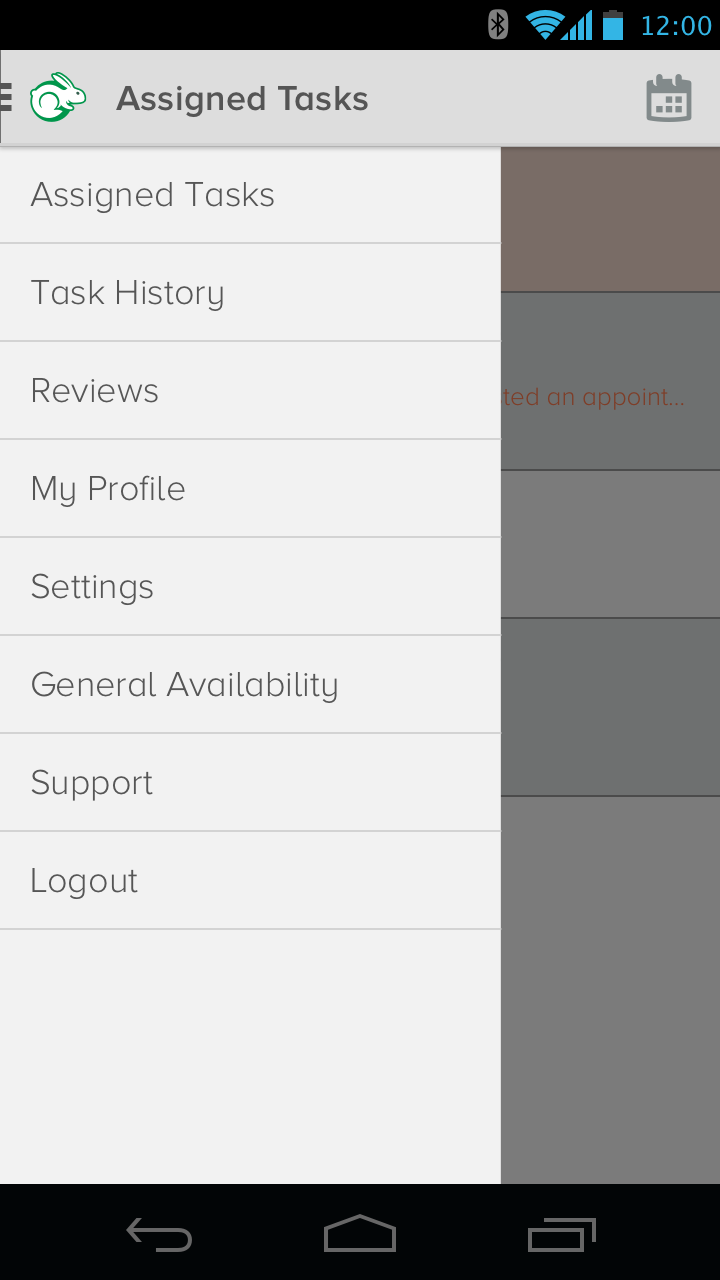
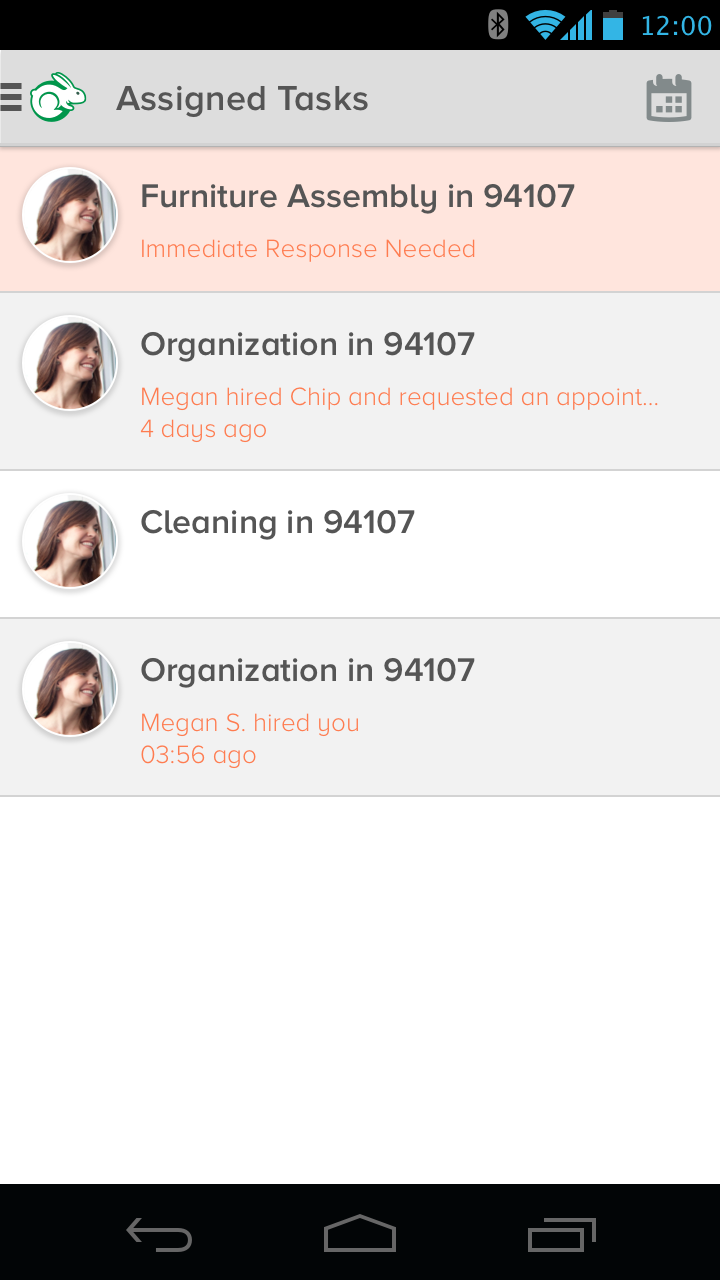
The Tasker app was created as a one stop shop for Taskers to manage everything for TaskRabbit. Before I started at TaskRabbit, the original Tasker app was put together by engineers since there were no design resources for building it. You can see the old versions of the Tasker app on my Invision link (iPhone and Android).
Why work on the Tasker app?
Even though the Client experience was redesigned, that only completed a piece of the full experience. For TaskRabbit's entire system to function smoothly, the Tasker experience needed to be designed well. We learned after launching the redesign in July 2014, tasks were not completed properly or on time. After talking to Taskers, we learned that the Tasker app we shipped was painful to use. It was difficult to navigate around the app, update availability, and worst of all, knowing which tasks were required. Taskers wanted to be able to update their skills and profile, know what tasks they were hired for, find additional work, and update their availability. Mobile was the medium we focused on because Taskers were constantly completing tasks on the go.
What was the design process?
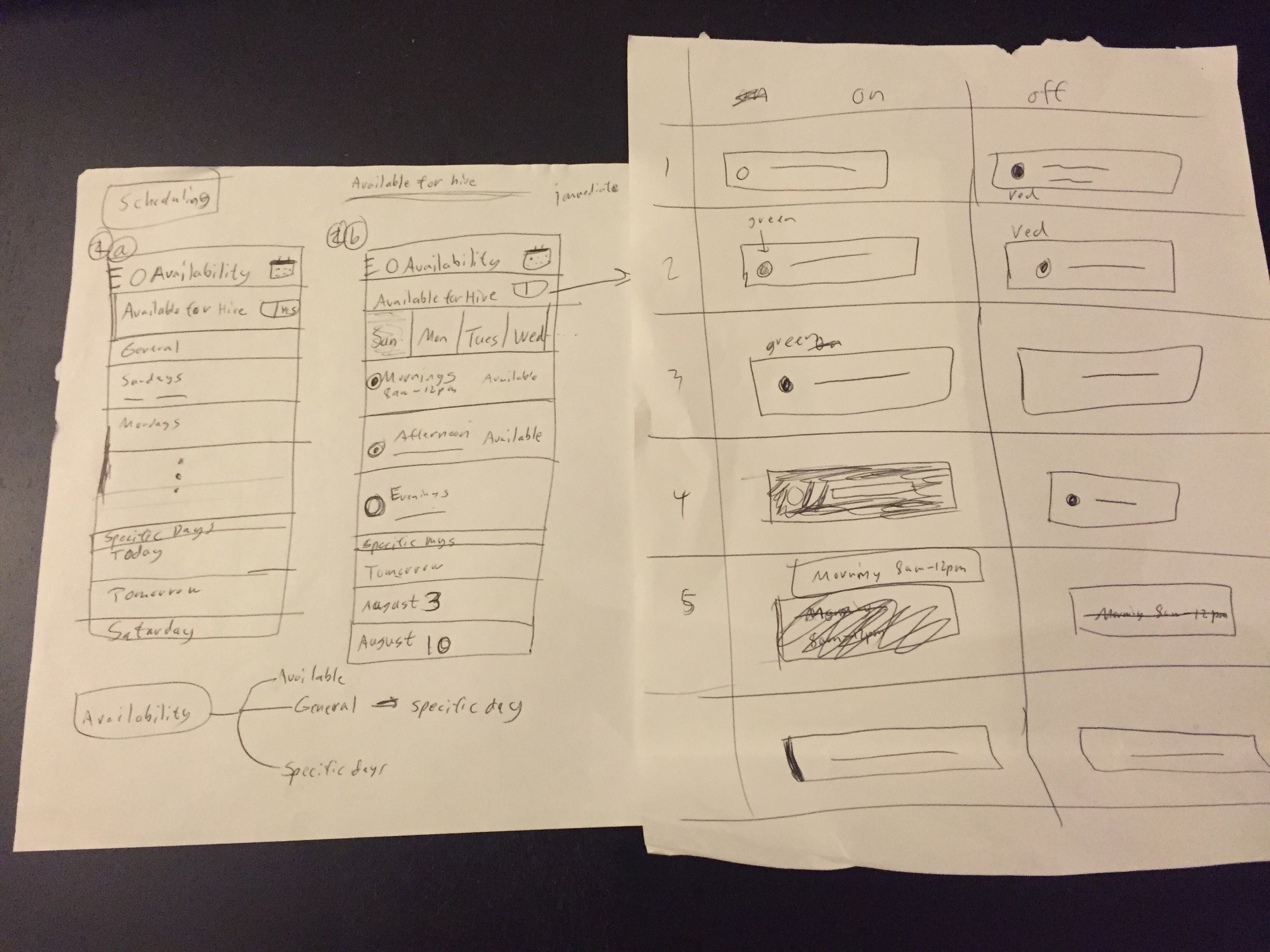
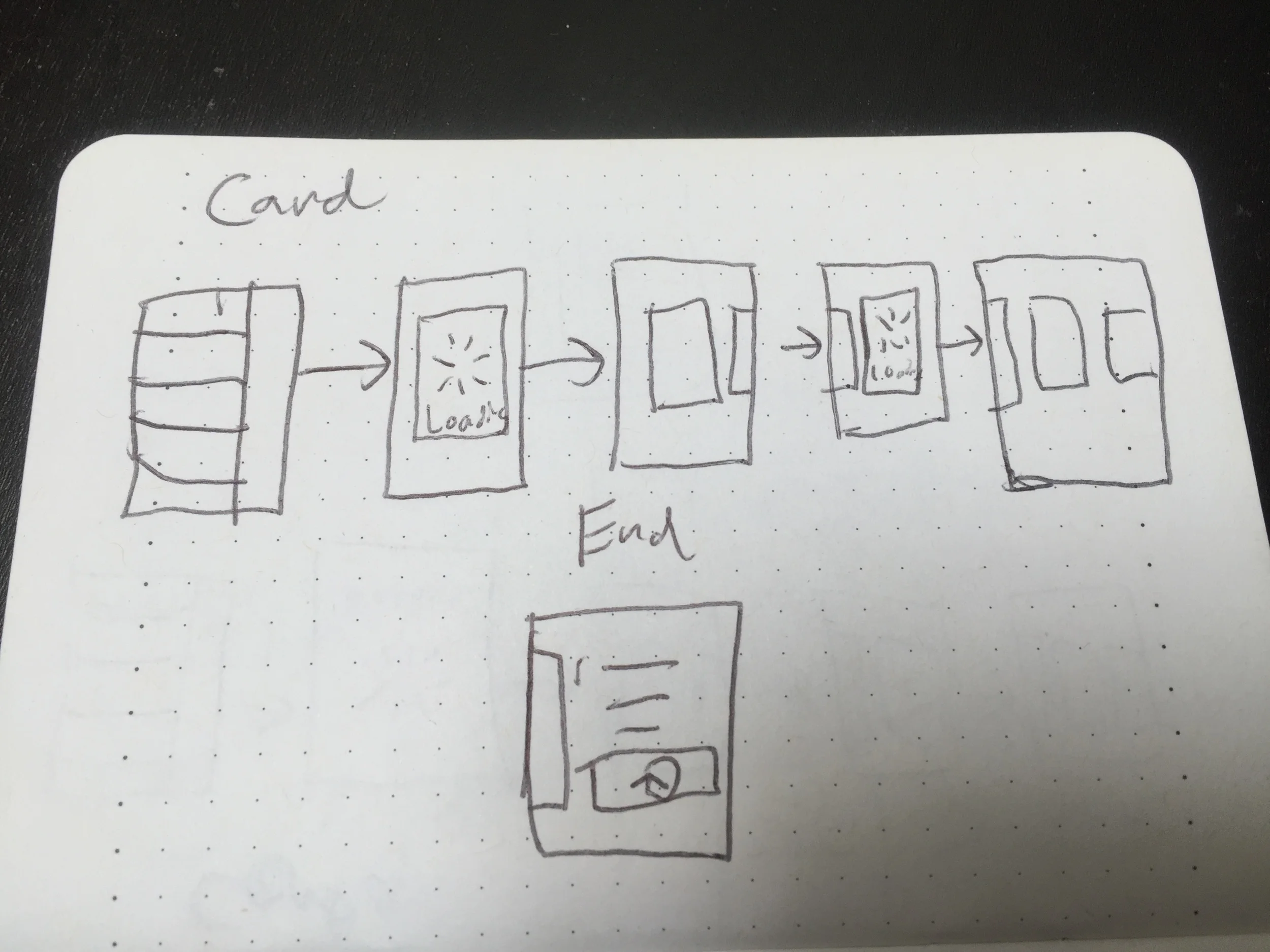
Initially, I started with using the current app on both iPhone and Android to get a sense of what the experience is like on the Tasker side and completed a few real tasks as a Tasker to truly experience the Tasker side of the system. After understanding some of the issues, I talked to customer support and Taskers to gain a deeper understanding of the issues. After all the user research, I broke down the design to the core functionality that Taskers needed and then worked to piece together everything. My process is always starting with sketching to think through many different ideas to refining and prototyping based on constant cycles of critique and feedback.
How do Taskers manage their schedule?
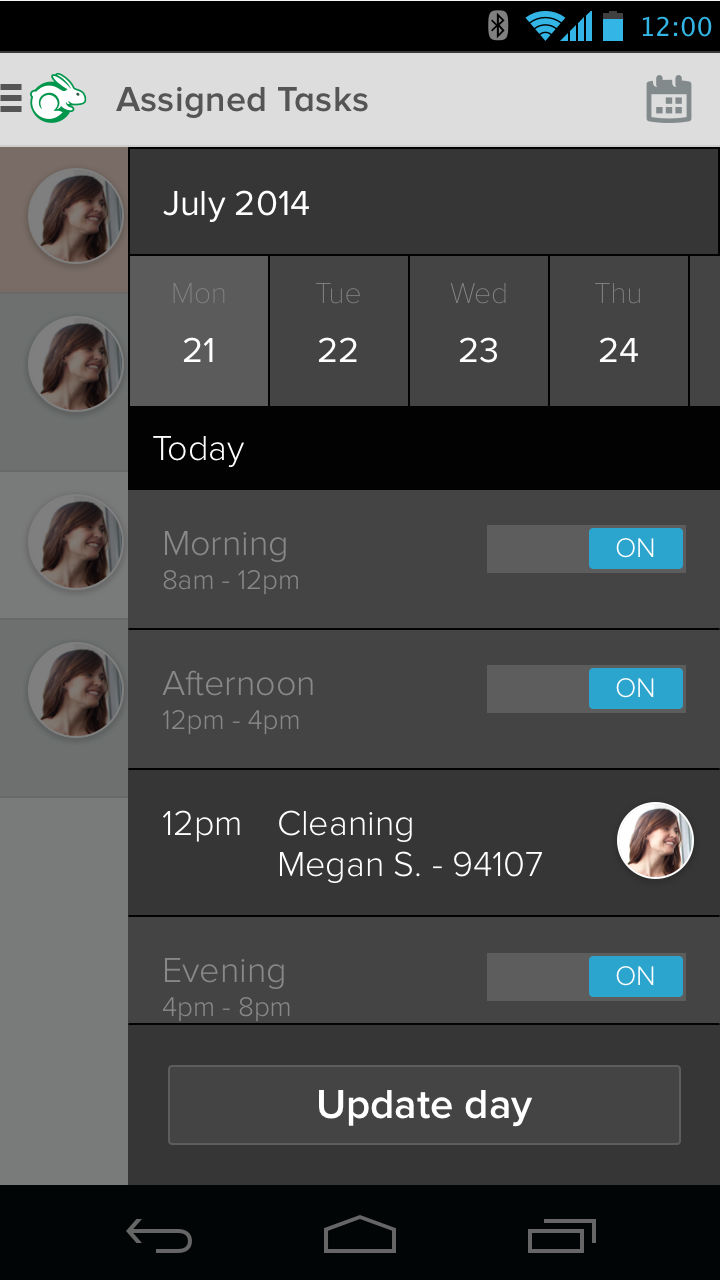
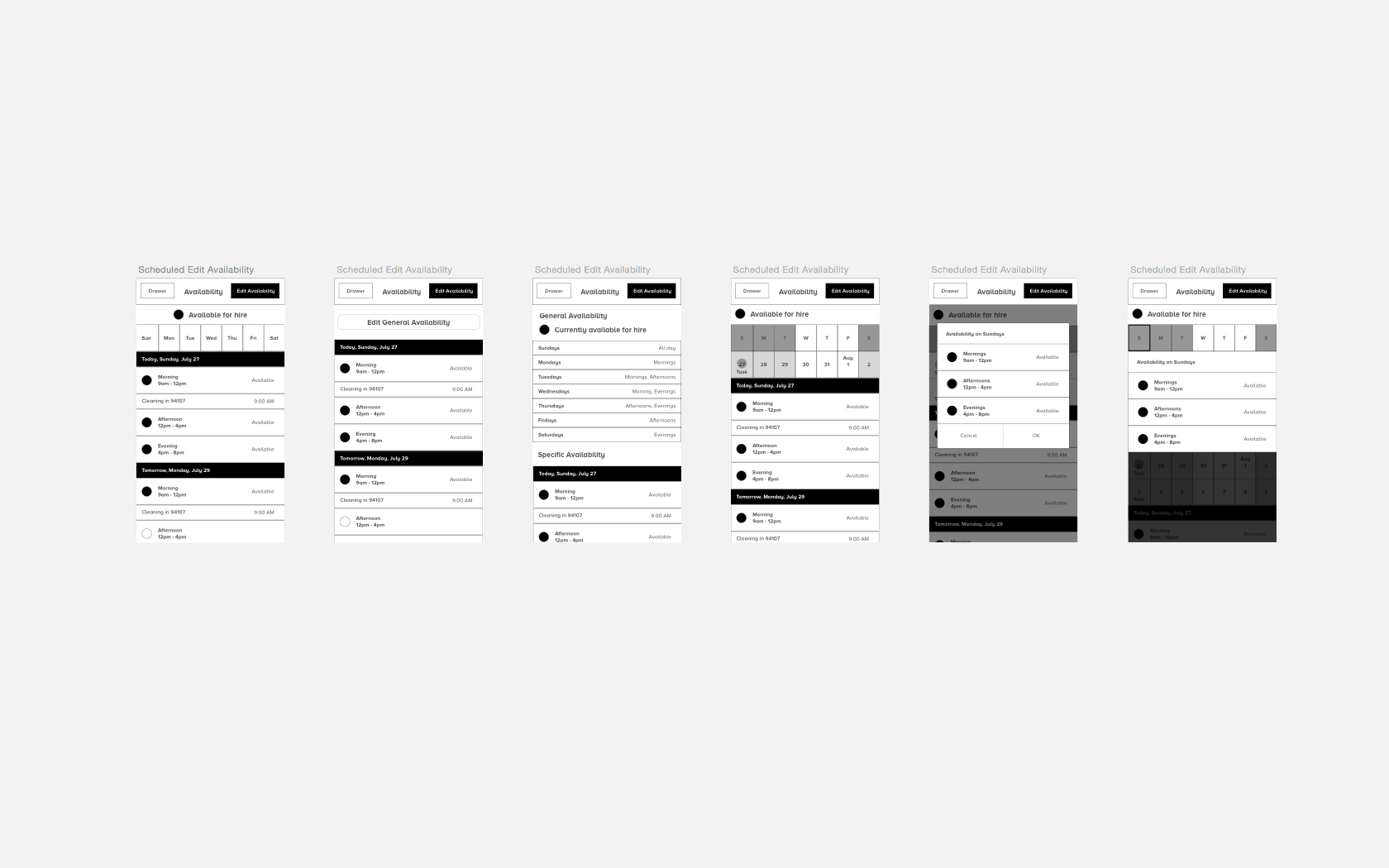
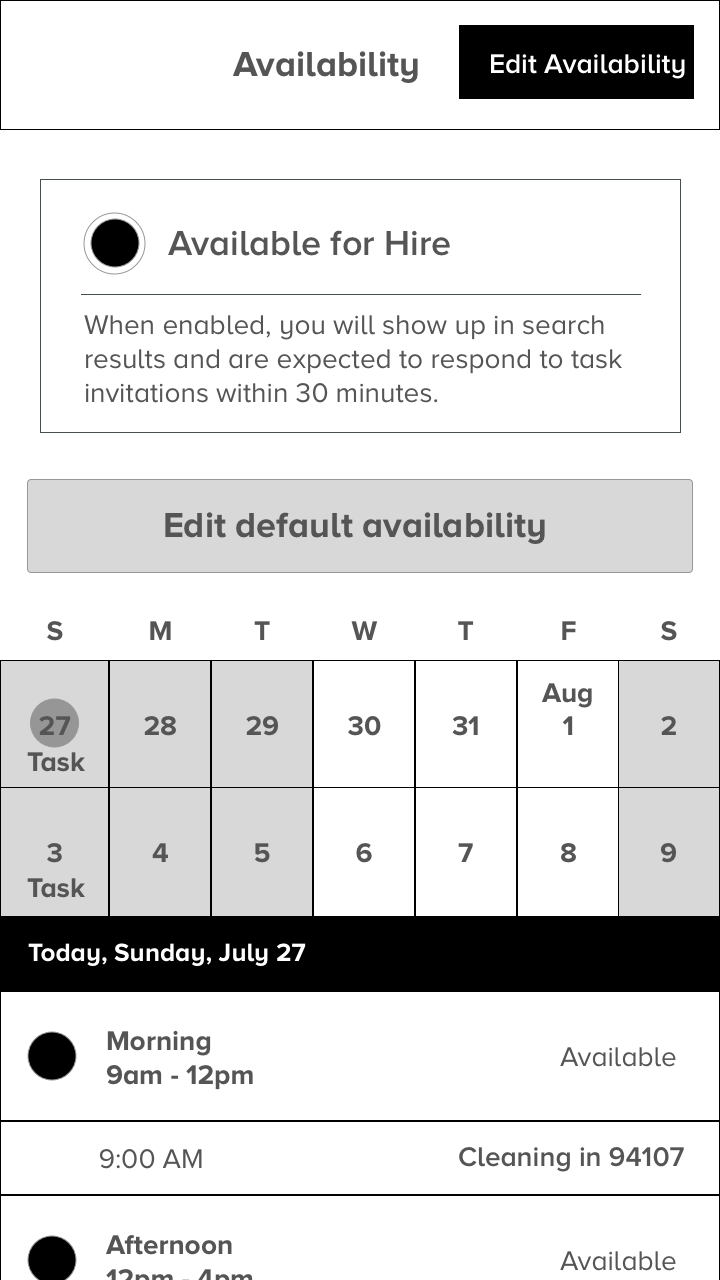
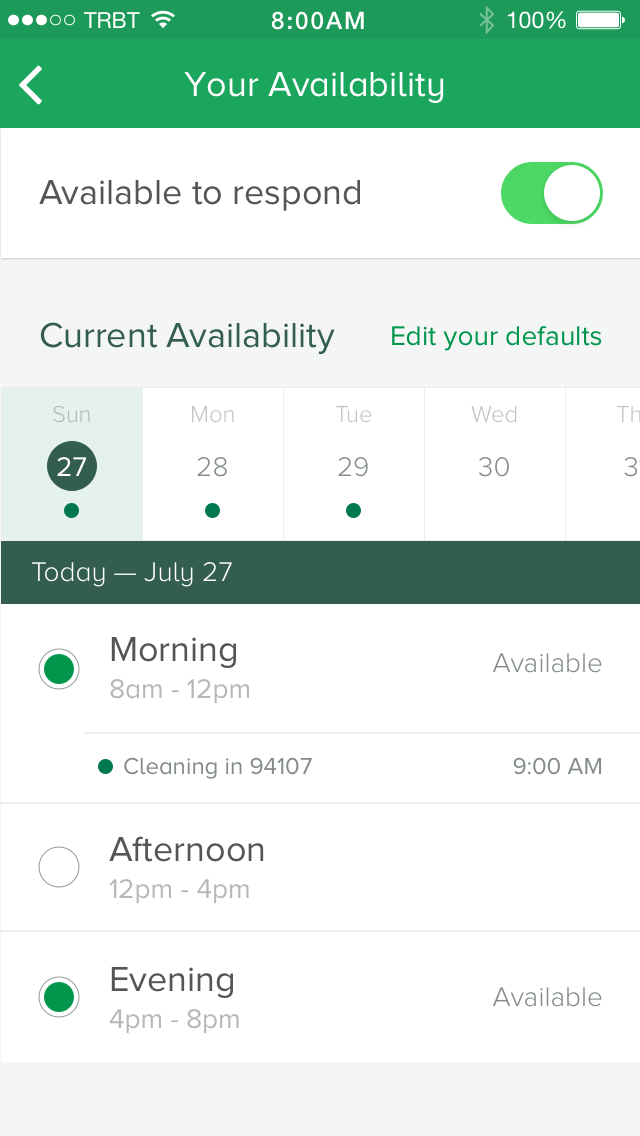
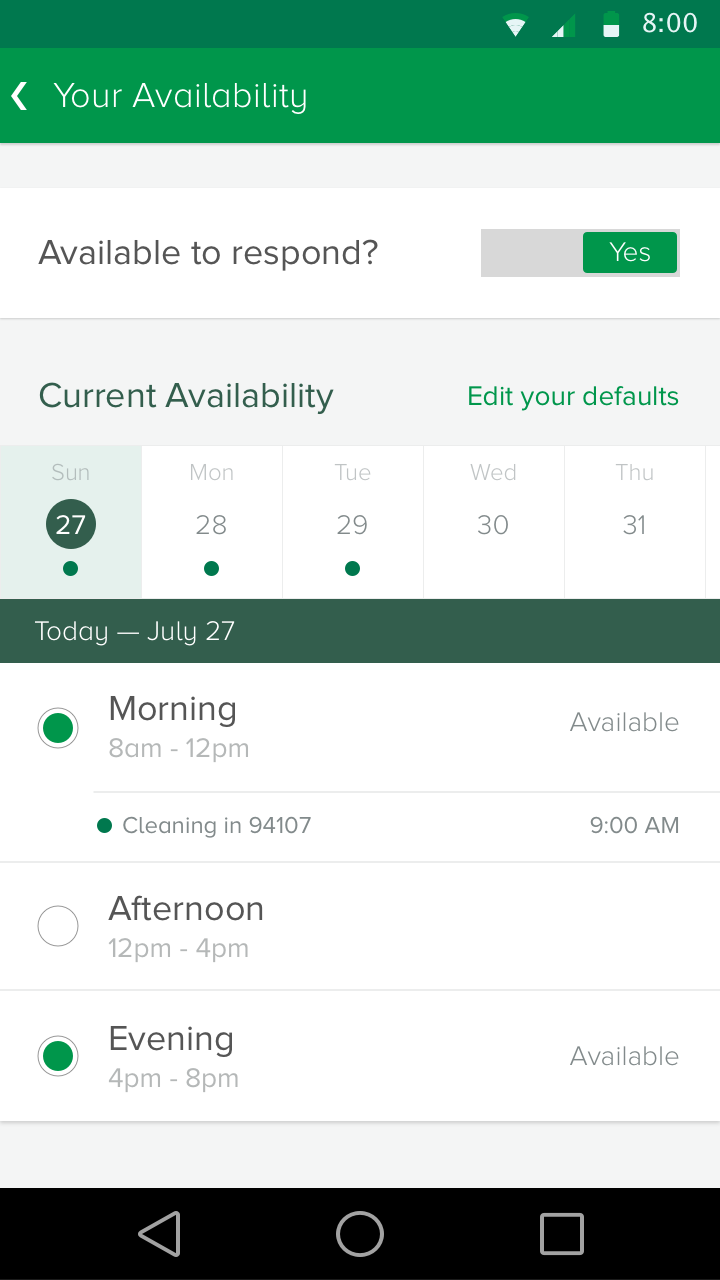
To start, I looked at where the inconsistencies were currently between the iPhone and Android Tasker apps for scheduling. I noticed that the 3 pieces of scheduling that were important were: the master availability toggle for being able to be hired, daily availability, and general availability. I combined all those together in one screen for Taskers to be able to manage their entire availability. The importance of this feature was to allow Taskers to be able to change their schedule and availability in real time if they need to. Click here to see the prototype that includes the final design.
How do Taskers manage their tasks?
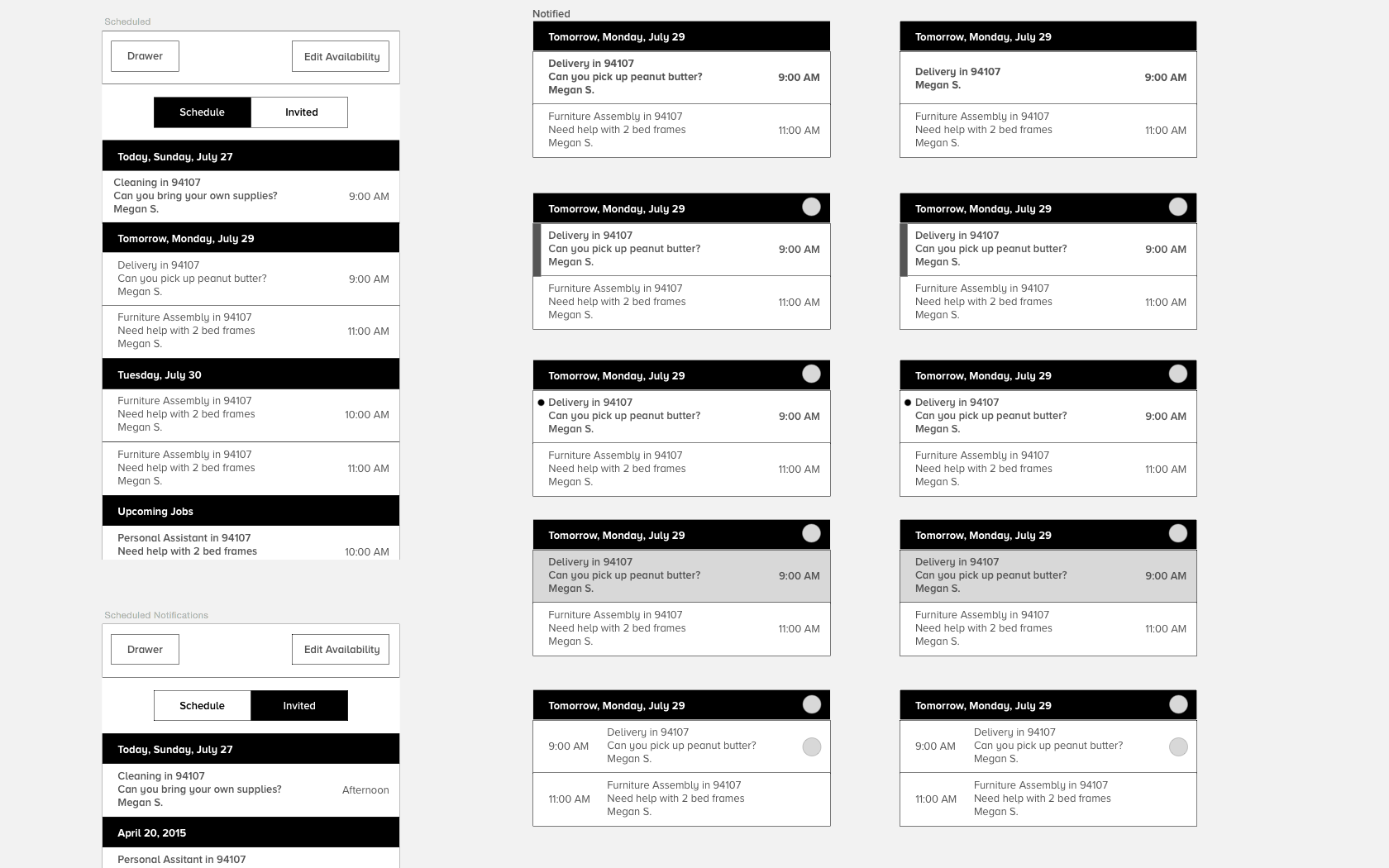
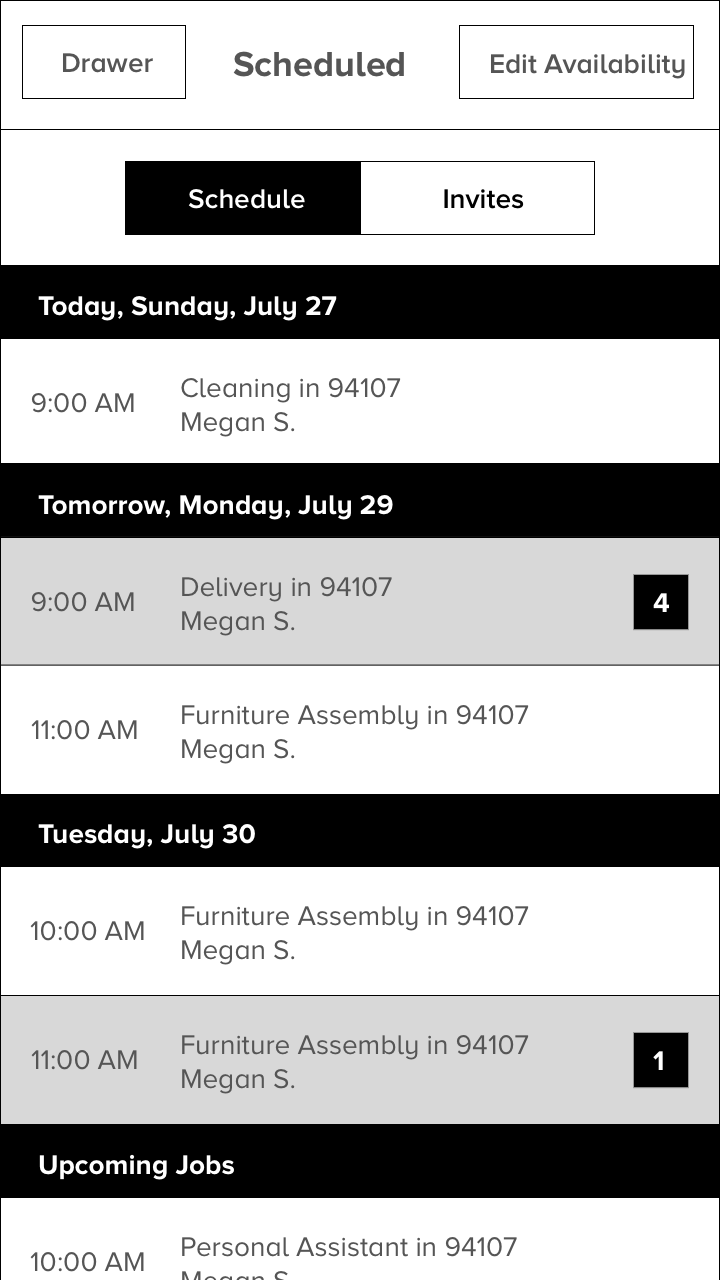
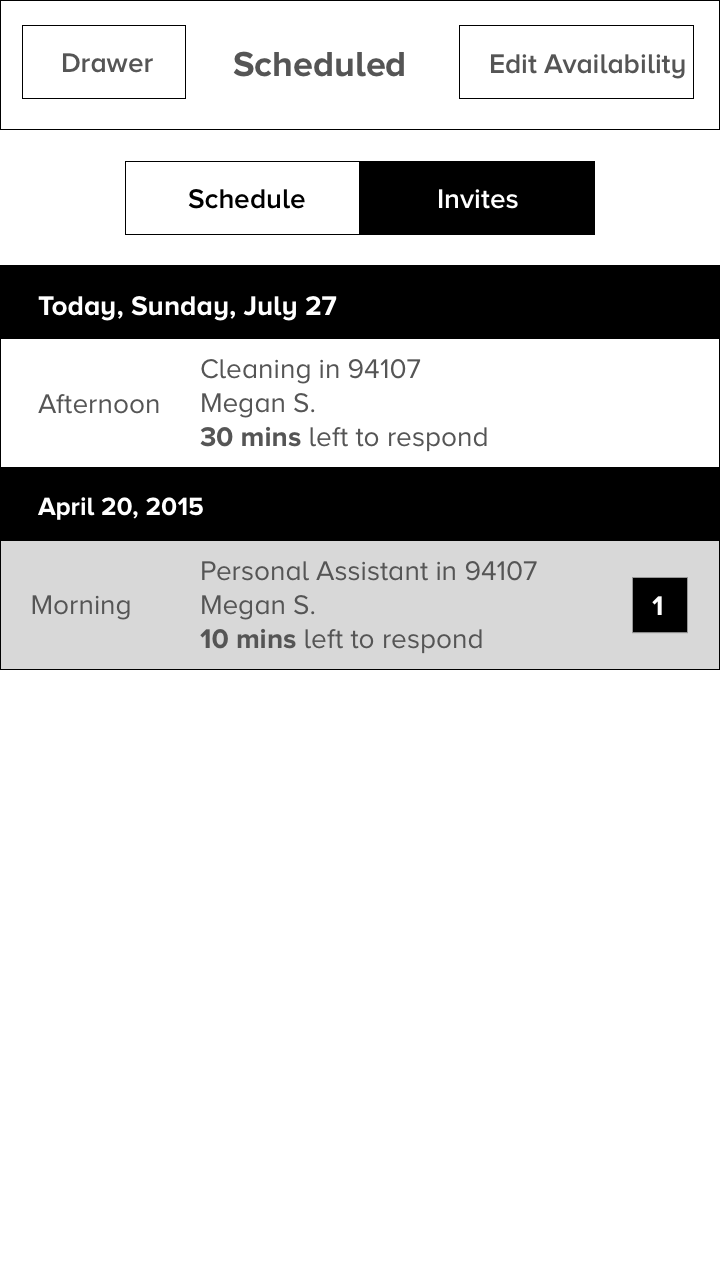
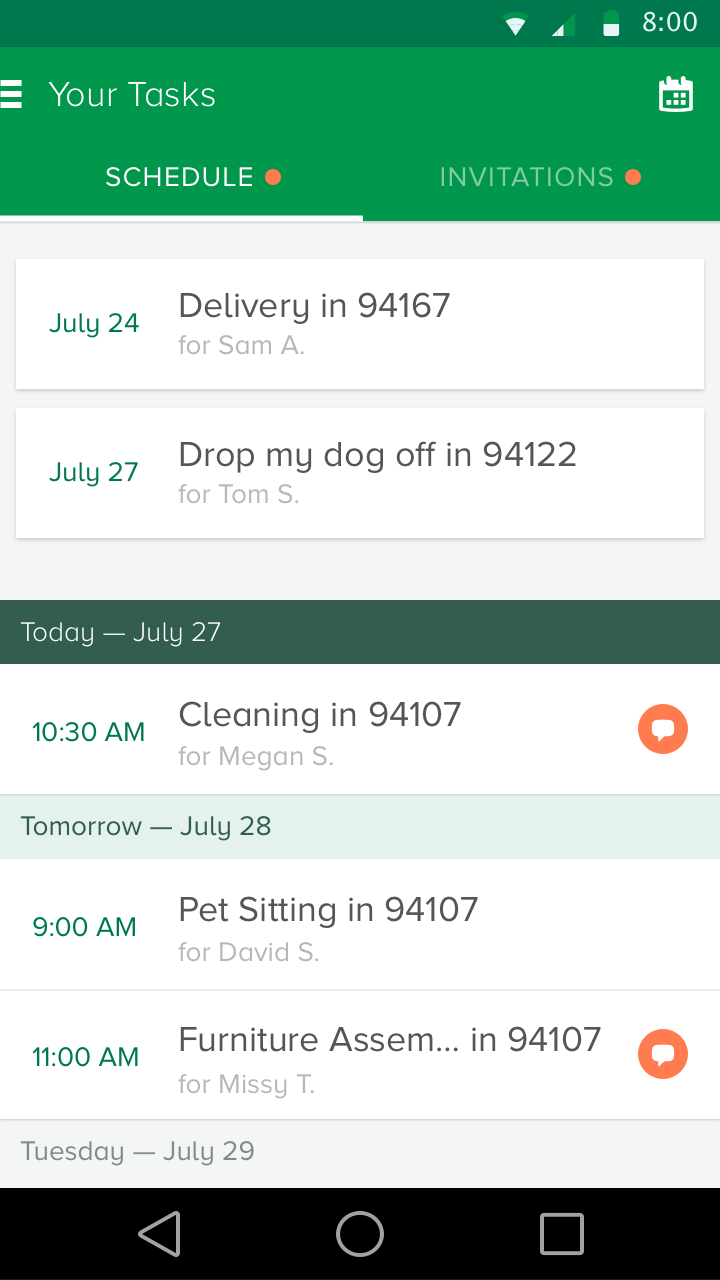
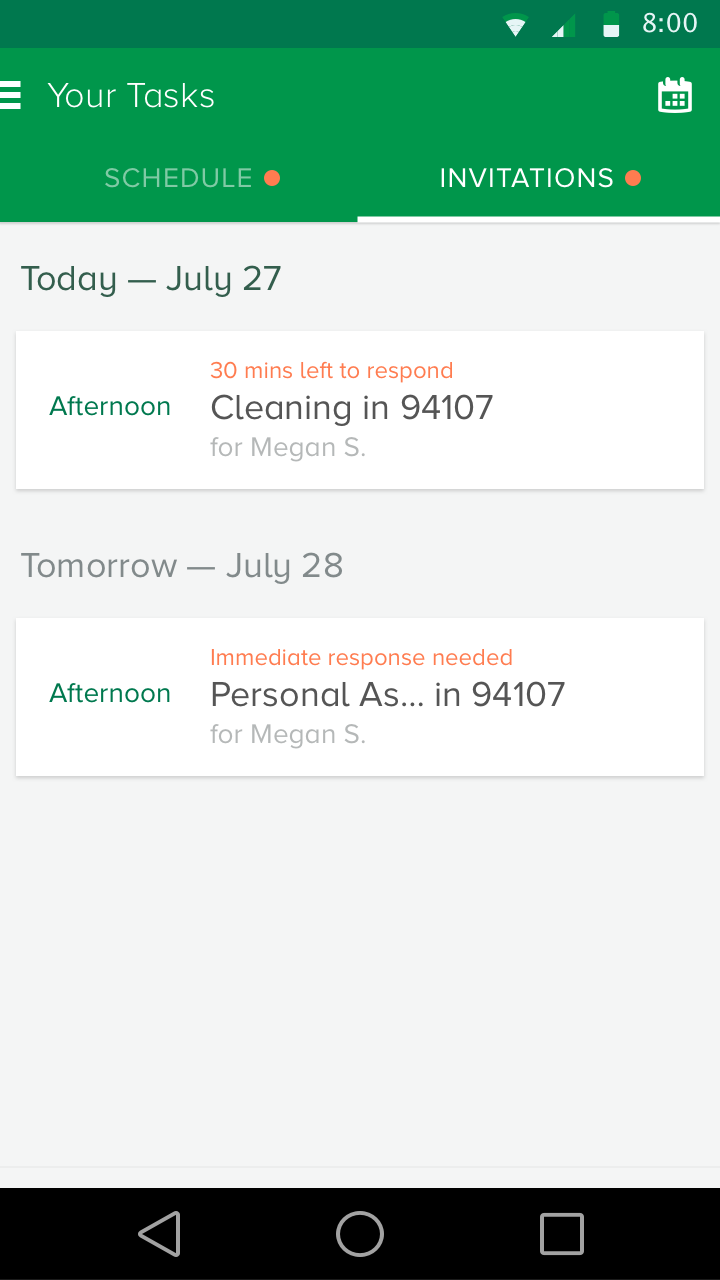
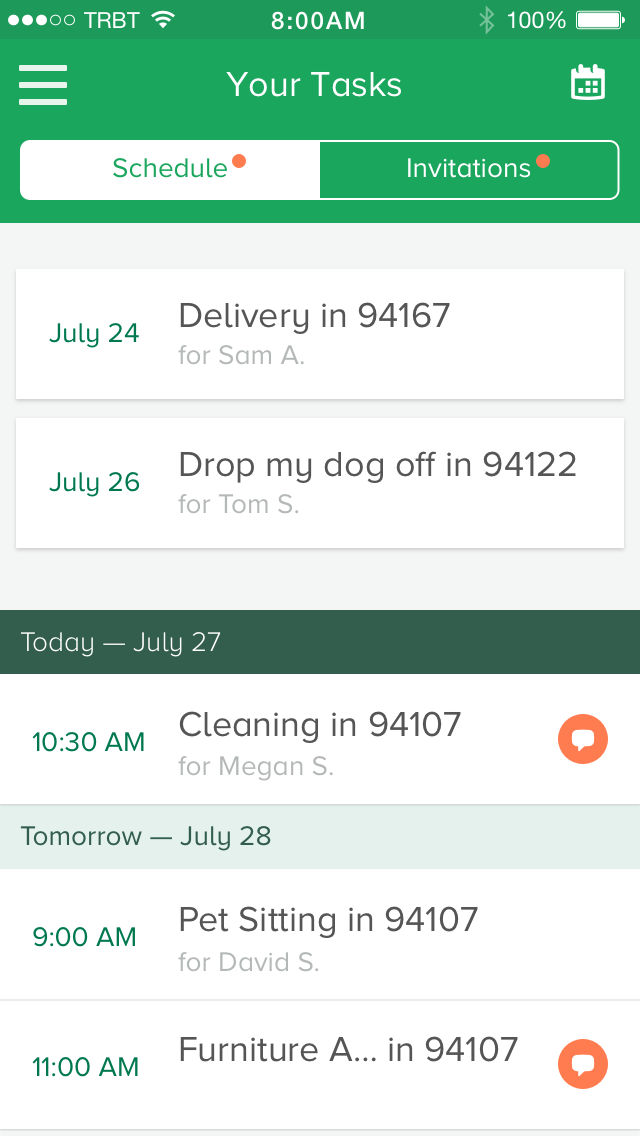
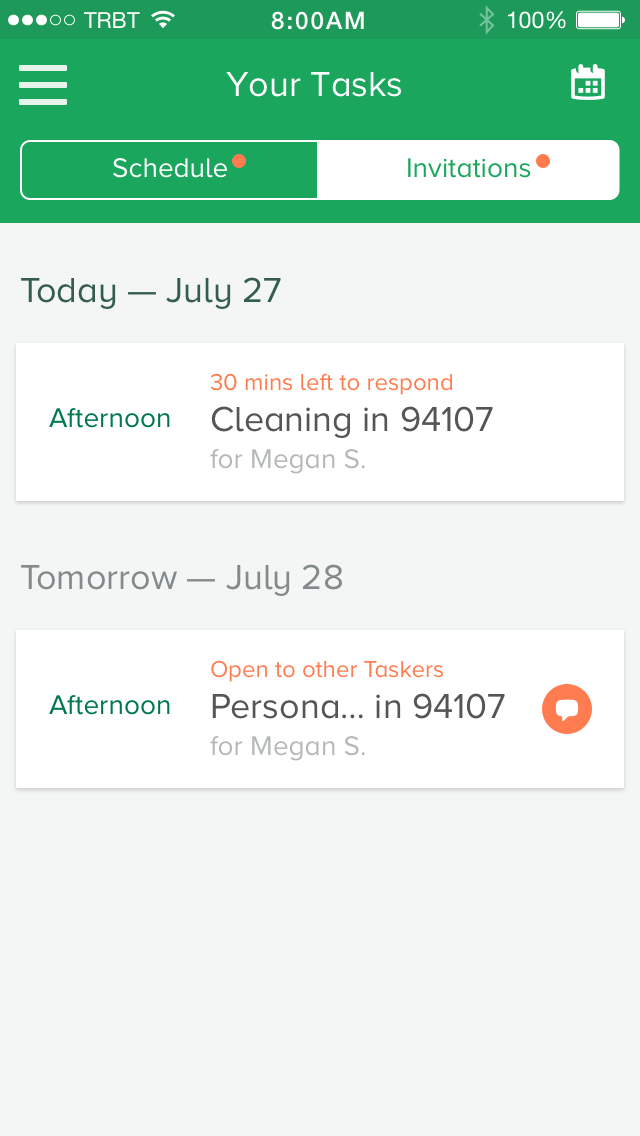
At the start there were many different ideas of how tasks could be laid out. The key piece of information we learned from Taskers was that seeing a schedule view was most important to them since they relied heavily on a calendar app to view their commitments. The focus of the design was to allow Taskers to be able to see their schedule, highlight task updates, and new tasks they are hired for. Click here to see the prototype for the task schedule and invitations.
How do Taskers view and manage their profile?
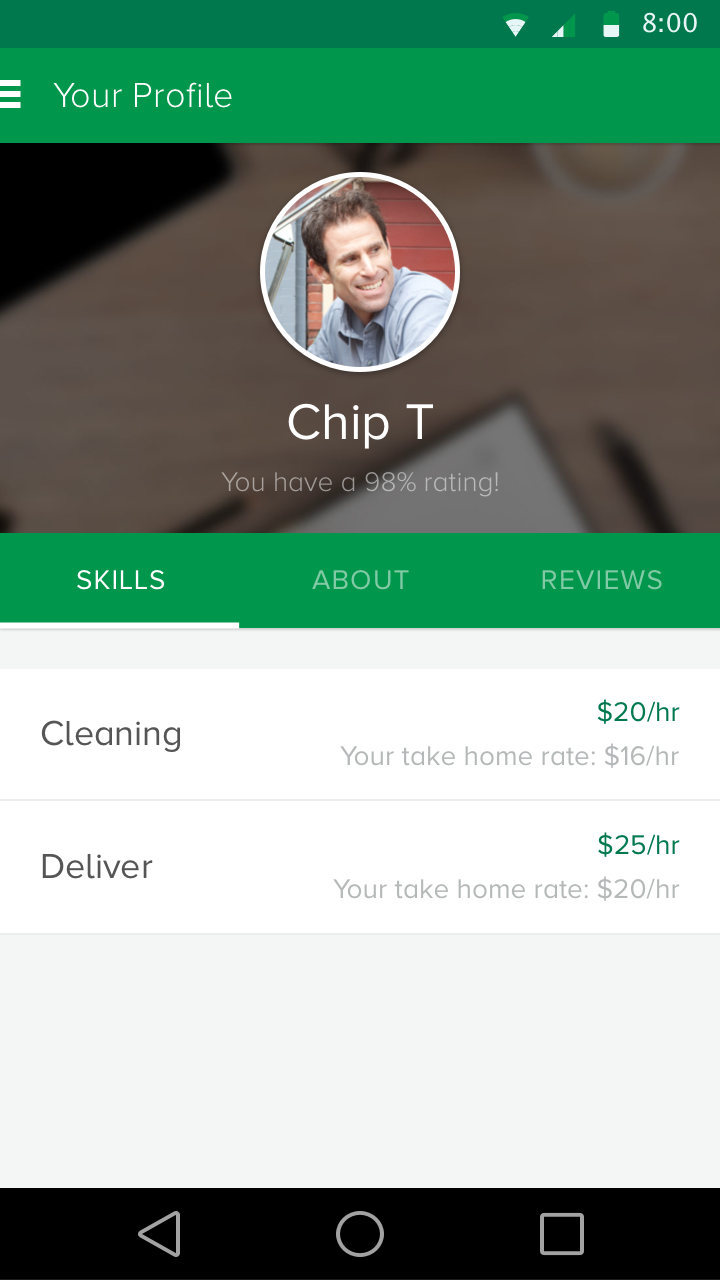
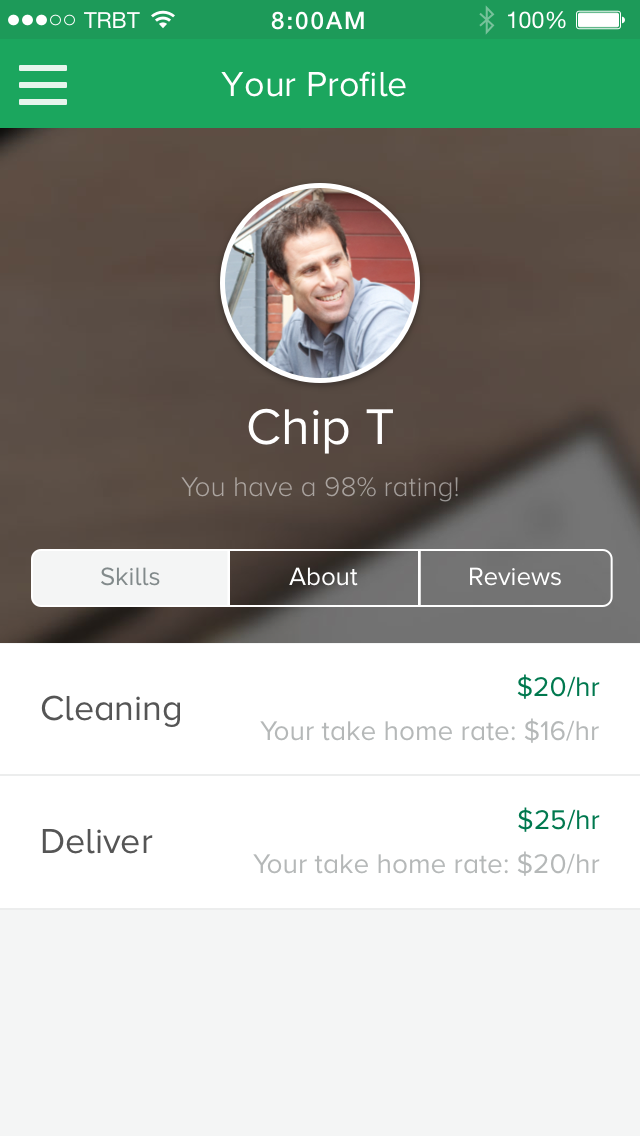
This feature was an additional feature we were able to squeeze in. Taskers wanted to be able to update their skills and control their own pricing in real time when they become more experienced. Click here to see the prototype for the Tasker profile.
How do Taskers find more work?
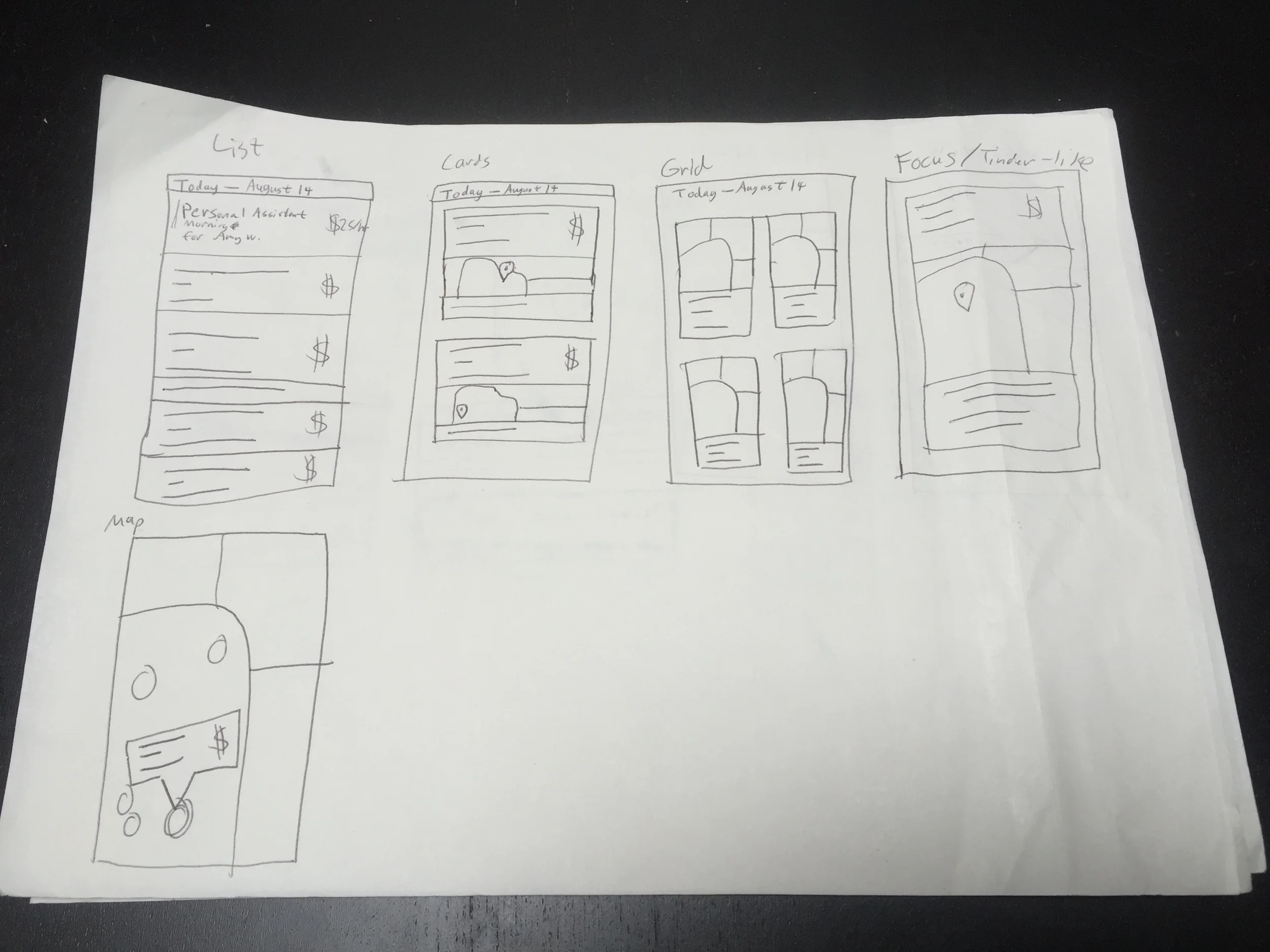
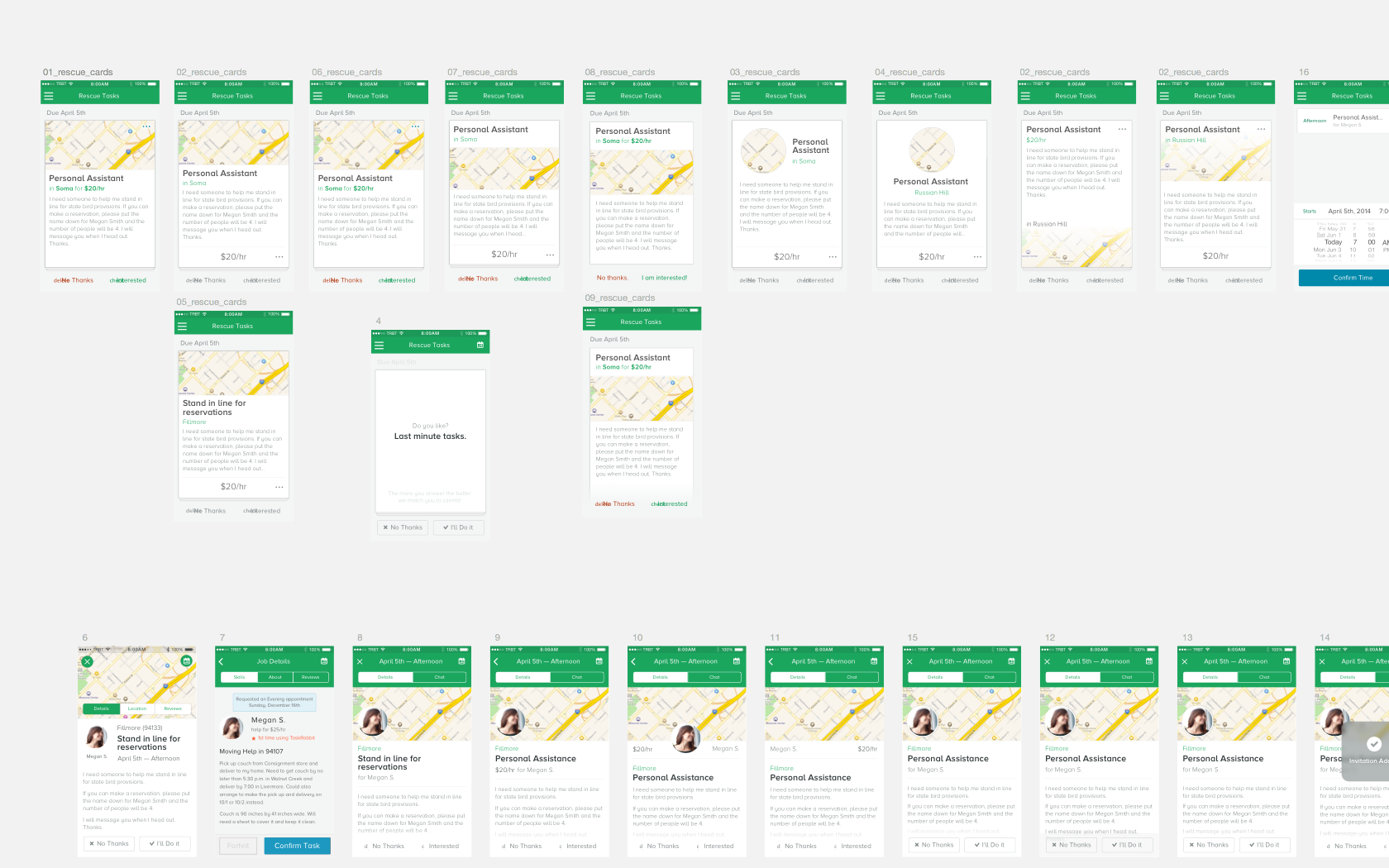
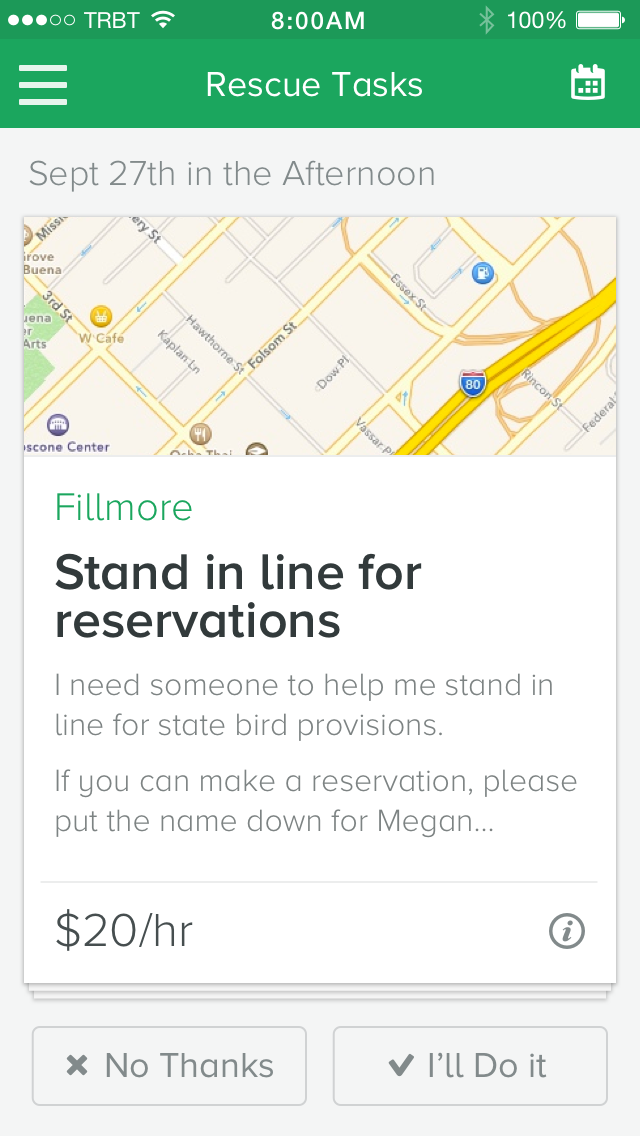
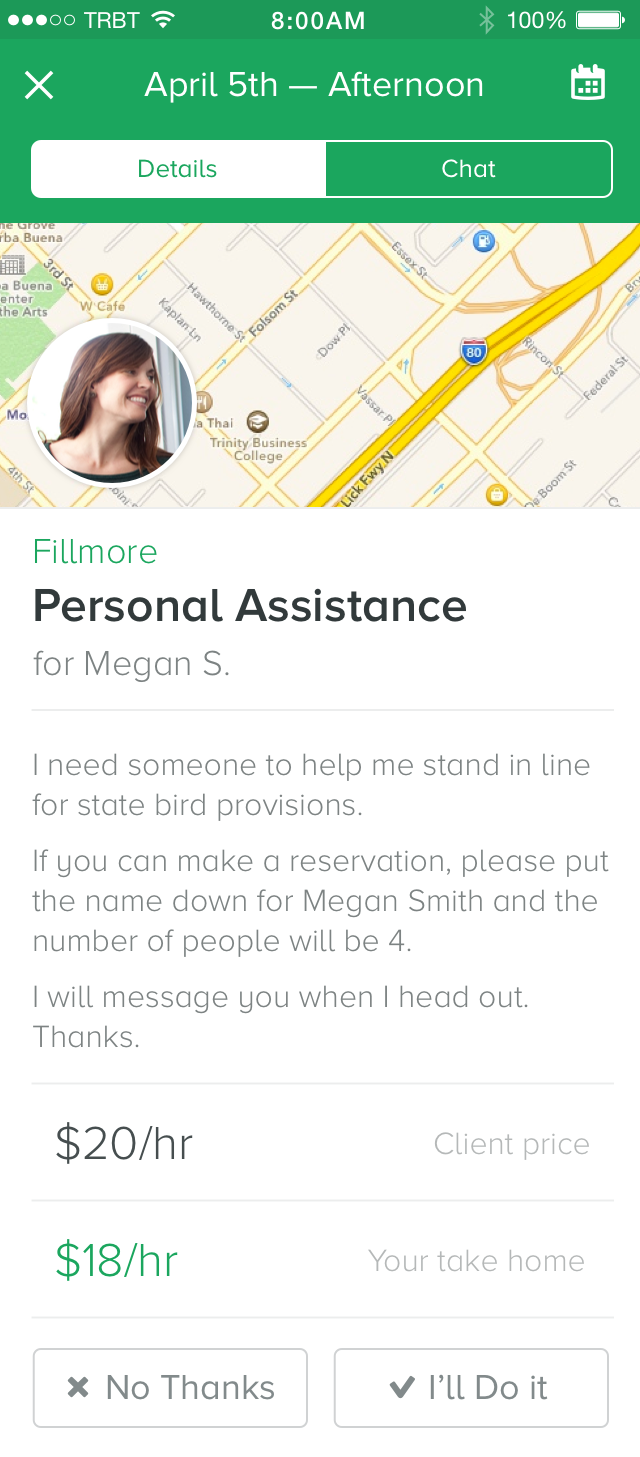
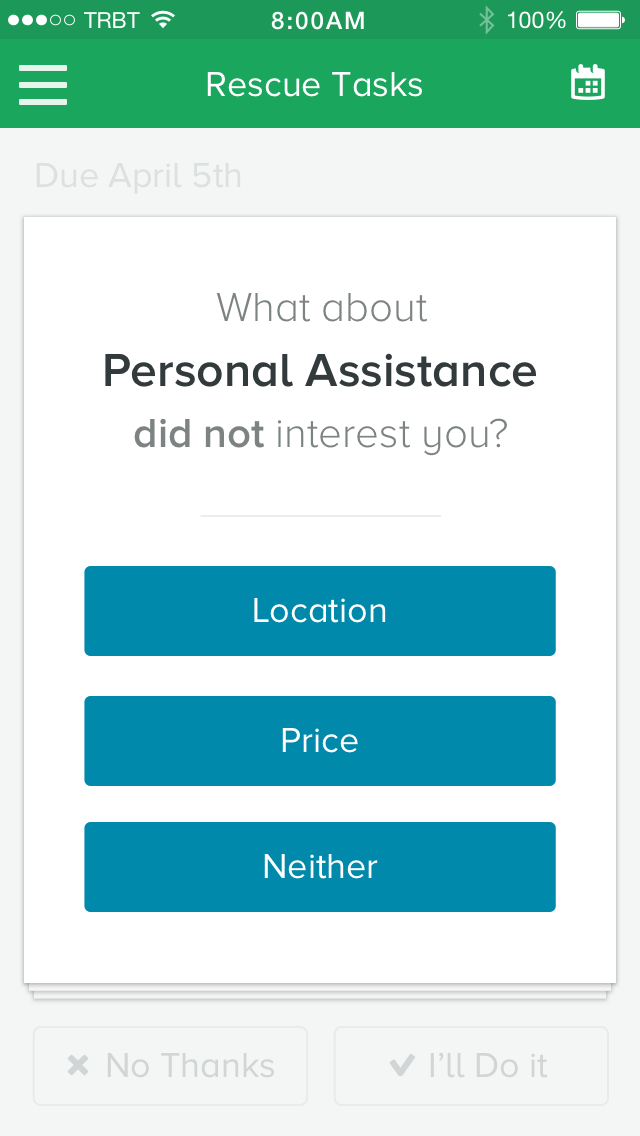
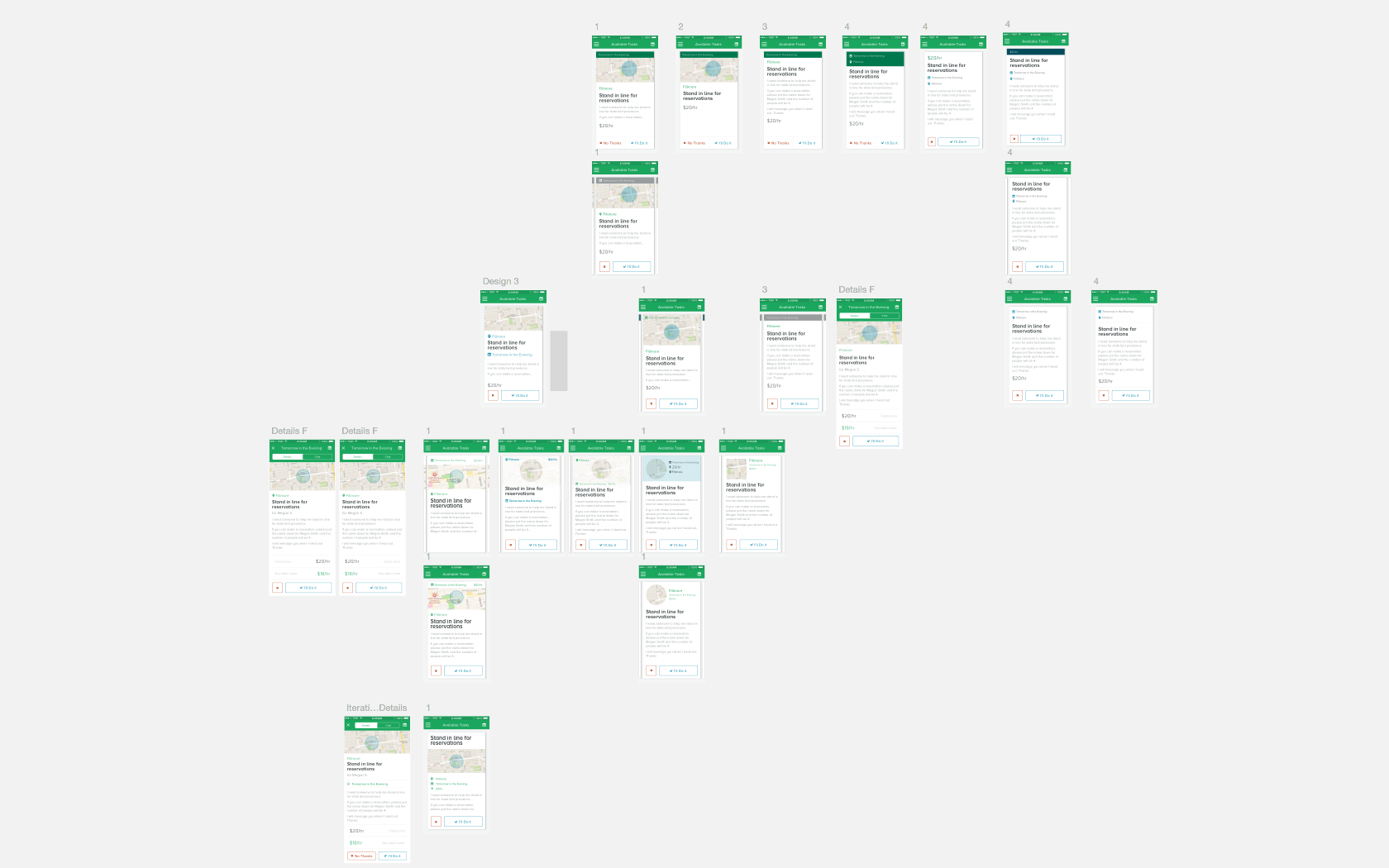
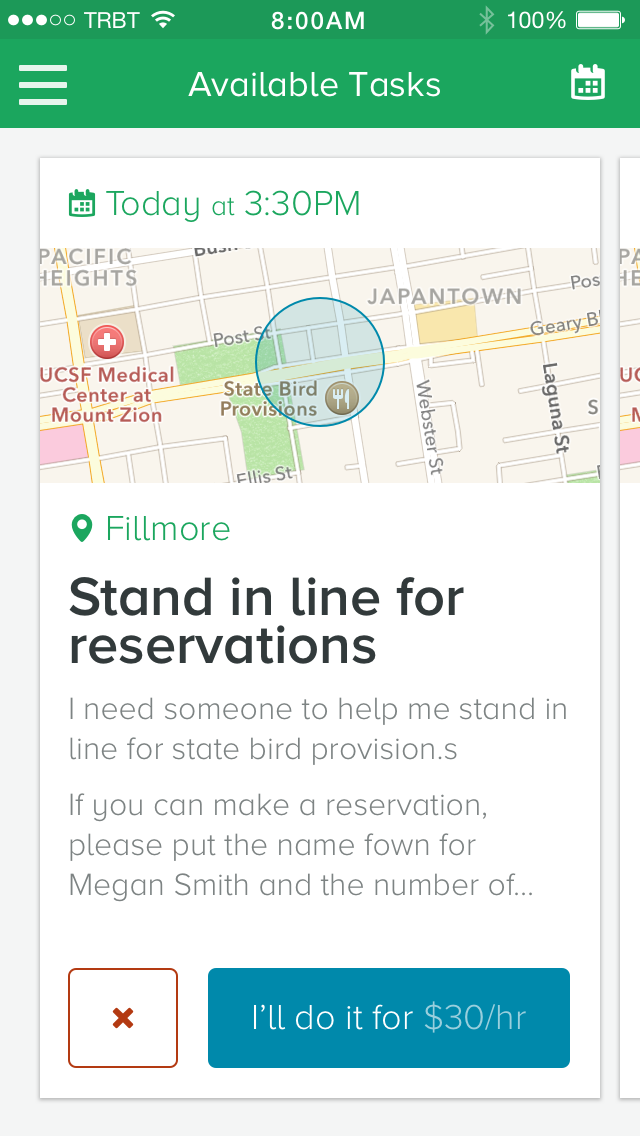
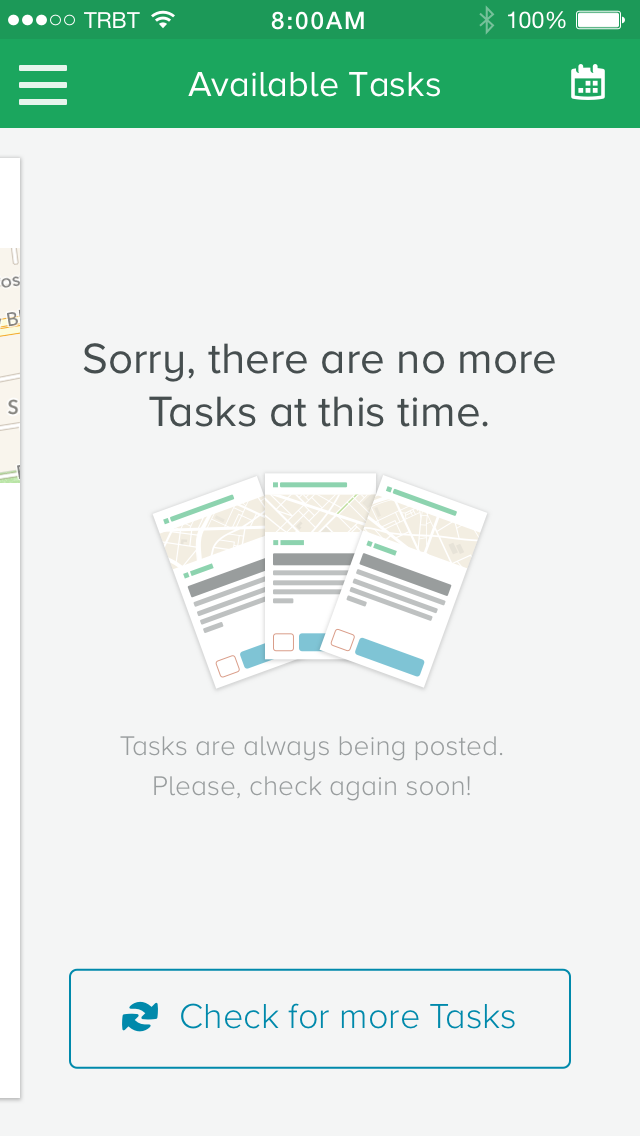
"How do I find more work?" was a common question asked by Taskers. The biggest request and feature that Taskers loved about the old system was being able to browse tasks that were available. This feature was known to be "Rescue/Optional Tasks", which were tasks that were abandoned by other Taskers. We also saw this as an opportunity to not only just get tasks that were abandoned, but also allow Clients to automatically hire Taskers especially if Clients didn't care about who they hired specifically. We went through 2 iterations of releases for this. The first release was focused on getting Taskers to take or pass an available task. After the first release, we found from talking to Taskers that it was very ineffective because Taskers were more likely to pass on a task than to commit to one as they preferred to be able to view all of the tasks before selecting ones they wanted. We found that focusing the design to be a multiple card view allowed Taskers to quickly browse and pick up tasks, which was successful in them getting more work and also resulting in more completed tasks overall. Click here to see the motion prototype for available tasks here.
How do Taskers view and improve their performance?
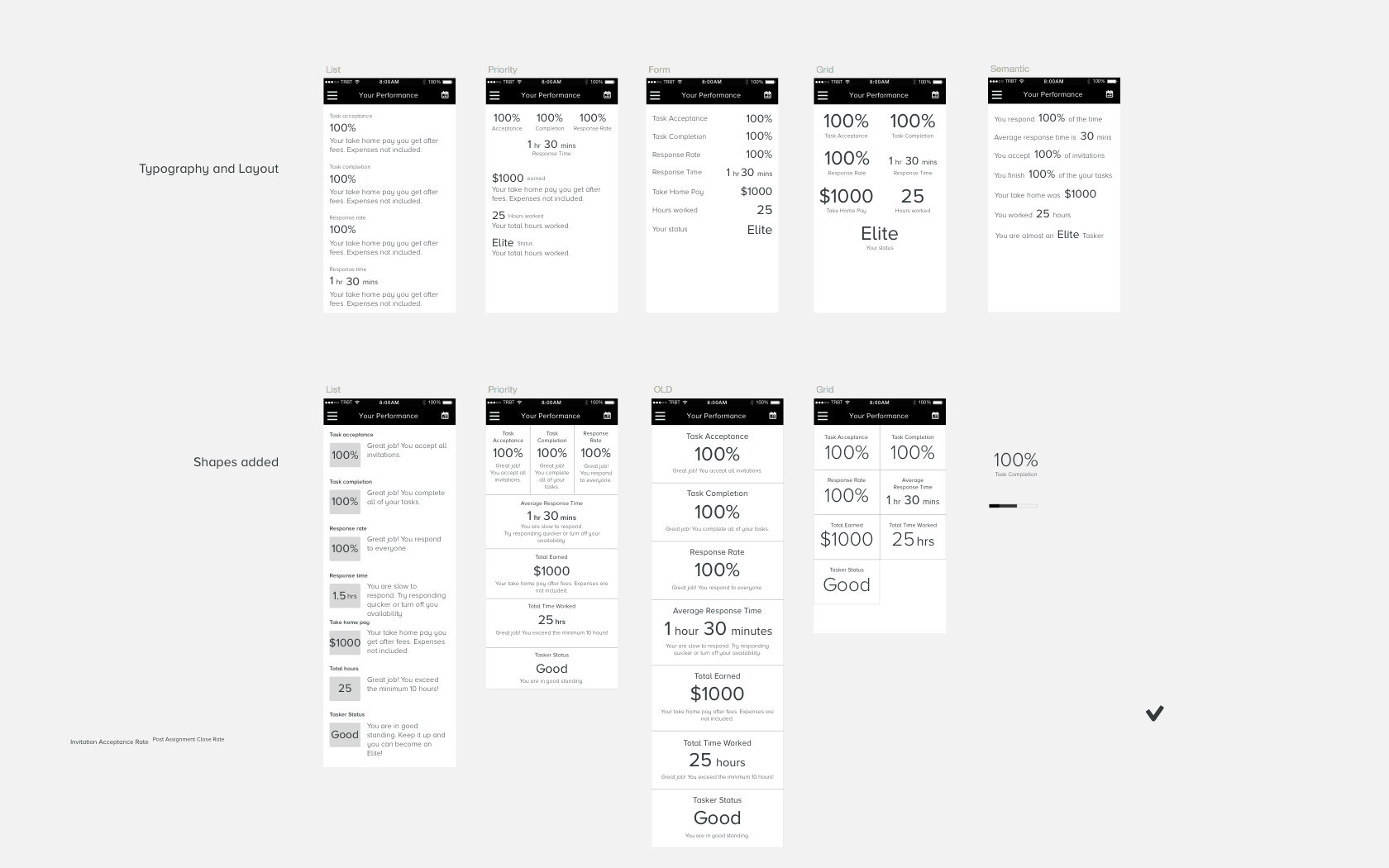
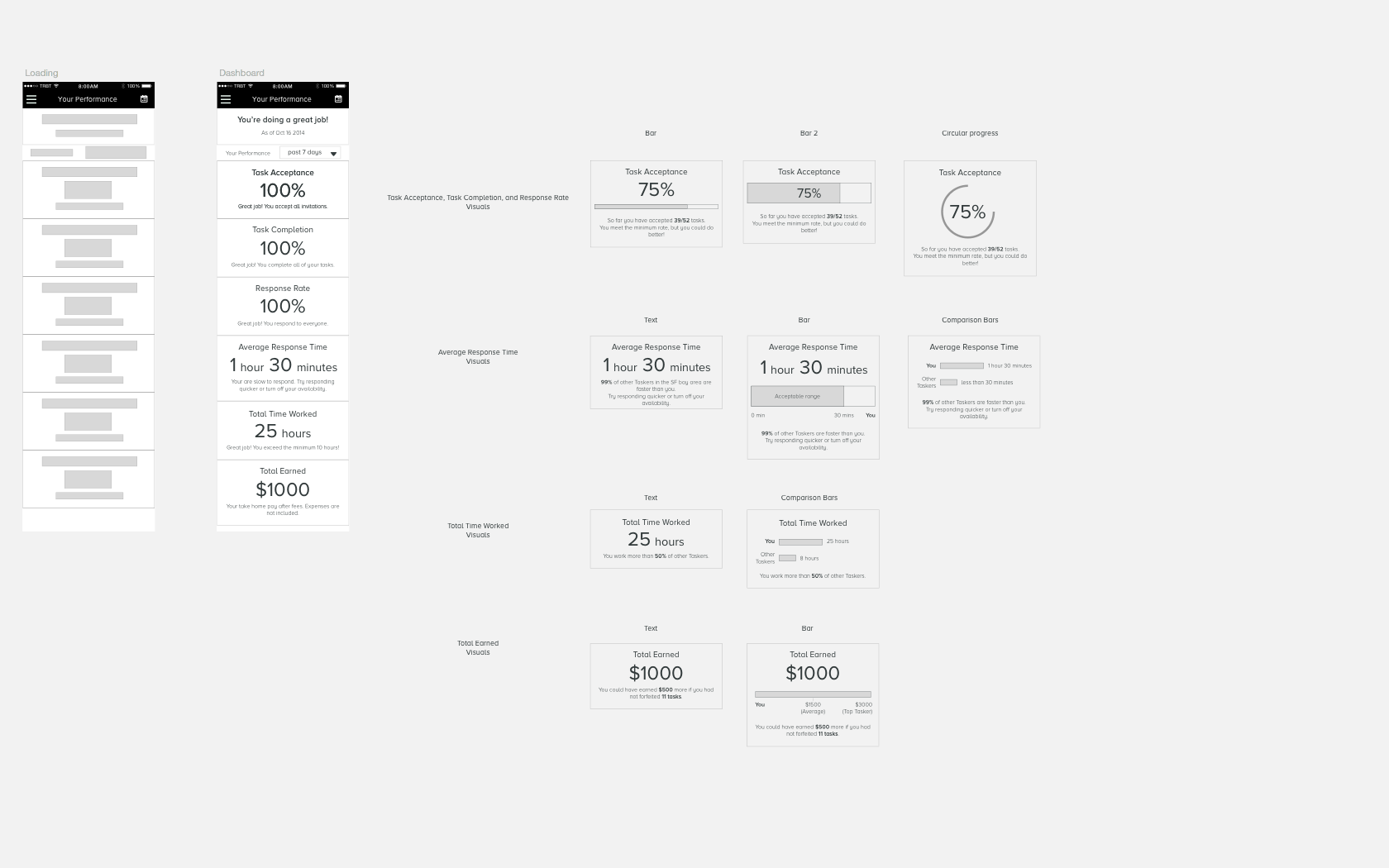
Taskers were always concerned about their performance and how they could constantly improve. Taskers wanted to know what their standing was with the company, task acceptance rate, task completion rate, response rate, how much time they worked, and how much they've earned. Click here to see the prototype for Tasker performance here.

How do Taskers view task history?
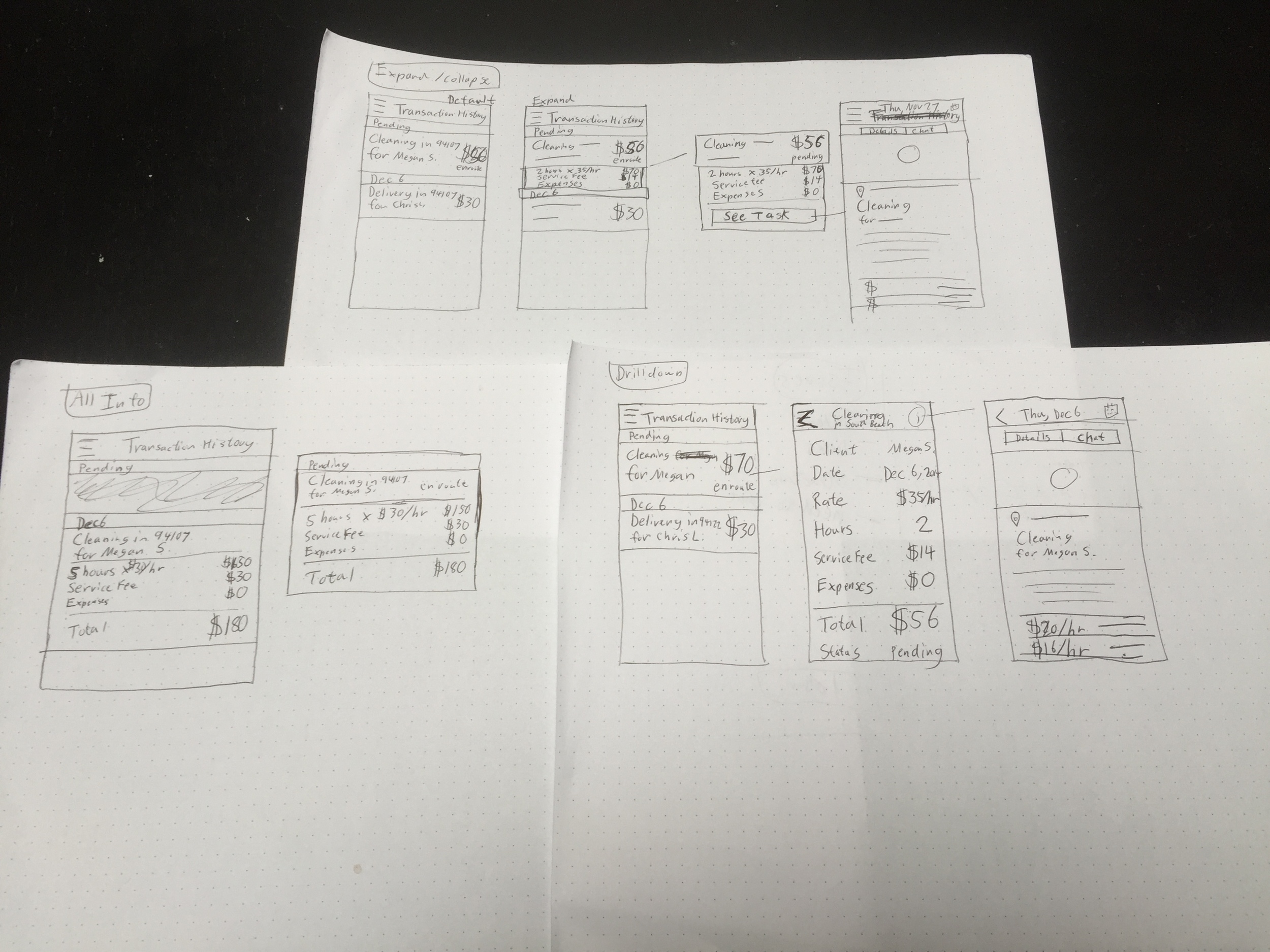
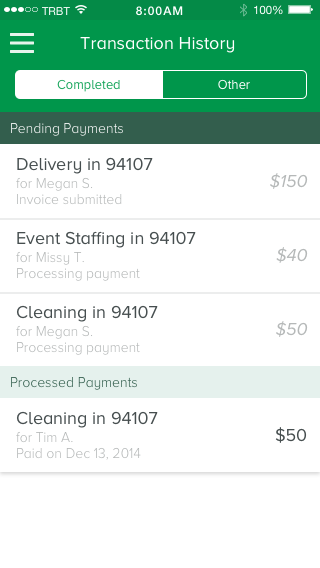
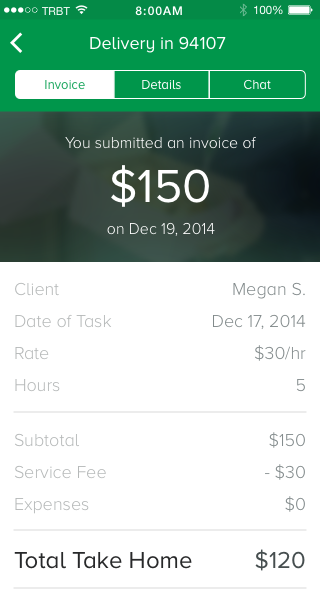
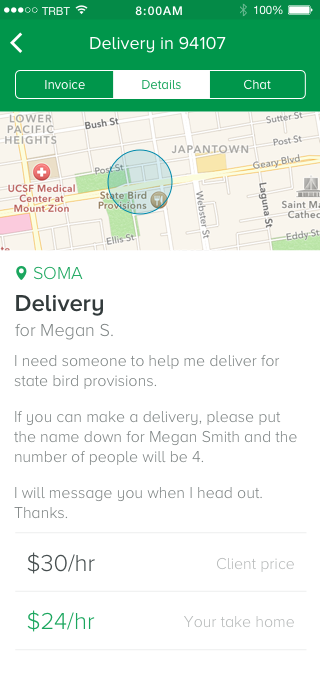
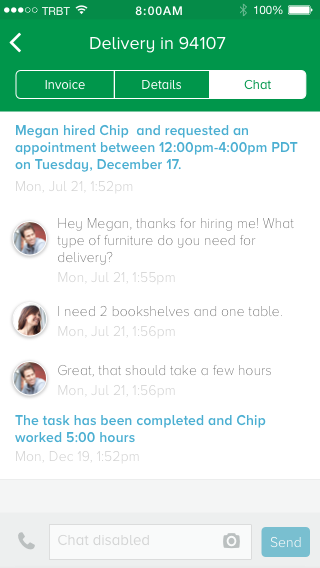
Getting paid was one of the biggest concerns that Taskers had. After completing every task, they wanted to know what was the current status of their invoice they submitted for the most recent task. The focus of this design was to ensure that Taskers can get a bird's eye view of all the tasks they've completed recently and see the status of payment. This also allowed Taskers to look at a detailed view of each task and view the breakdown of the invoice. Click here to see the prototype for task history here.
What was the impact and results?
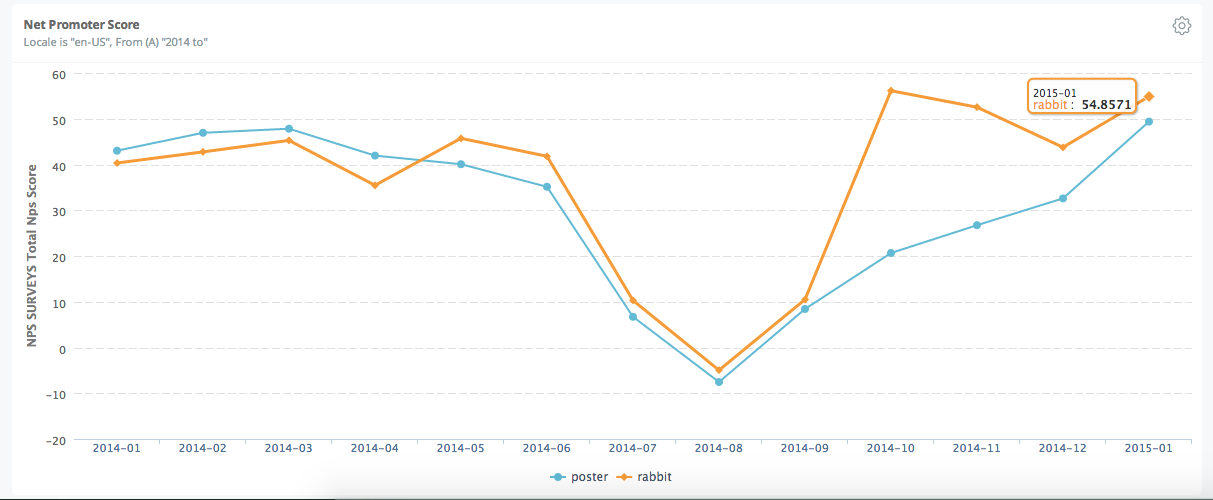
Taskers were already upset, due to being accustomed to the old system and they felt that the overall TaskRabbit redesign didn't take them into account. Despite the initial rough start, the experience improved significantly in October 2014 after the Tasker experience launched. This resulted in significant business growth.
Better Tasker and Client satisfaction
Taskers became happier and were satisfied after the improvements on the Tasker experience. For Taskers, NPS scores went up from -5 to the 45-55 range. This also had a trickle down effect for Clients as well. With Taskers becoming happier and more organized to respond, Client NPS scores went up along with Tasker NPS scores, from -5 to around 40-50 range.
Higher task completion (close rate)
Improving the Tasker experience helped Taskers manage their schedule and tasks better, which resulted in a 30% increase in task completion.
Repeat business
Clients were satisfied with the Taskers they got matched up with and ended up hiring them again. The amount of repeat tasks increased 100% month over month.
Tasker growth
More applications to become a Tasker increased to the point where TaskRabbit had to put a limit on how many Taskers they could let into the community to keep supply and demand balanced. The company began creating training programs to help Taskers improve and grow their skills. The growth also encouraged the company to introduce better benefits to Taskers such as discounted health insurance, and etc.
Lessons learned
When designing a service, all users of the system need to be accounted for since there are many moving parts to make it run smoothly. We learned that majority of the issues that Clients had with getting tasks done was a systemic problem of not providing proper tools for Taskers to empower them to complete a task successfully. Ultimately, your customers will be interacting with people who represent your company, so treating them well and giving them the tools they need to do their jobs will make or break your business.